5 Best Event Tagging Service Providers in 2026
Compare the 5 best event tagging providers for egocentric video and robotics data. Explore timeline annotation, action boundaries, event attributes, review workflows, and export capabilities to find the right platform for your AI training needs.

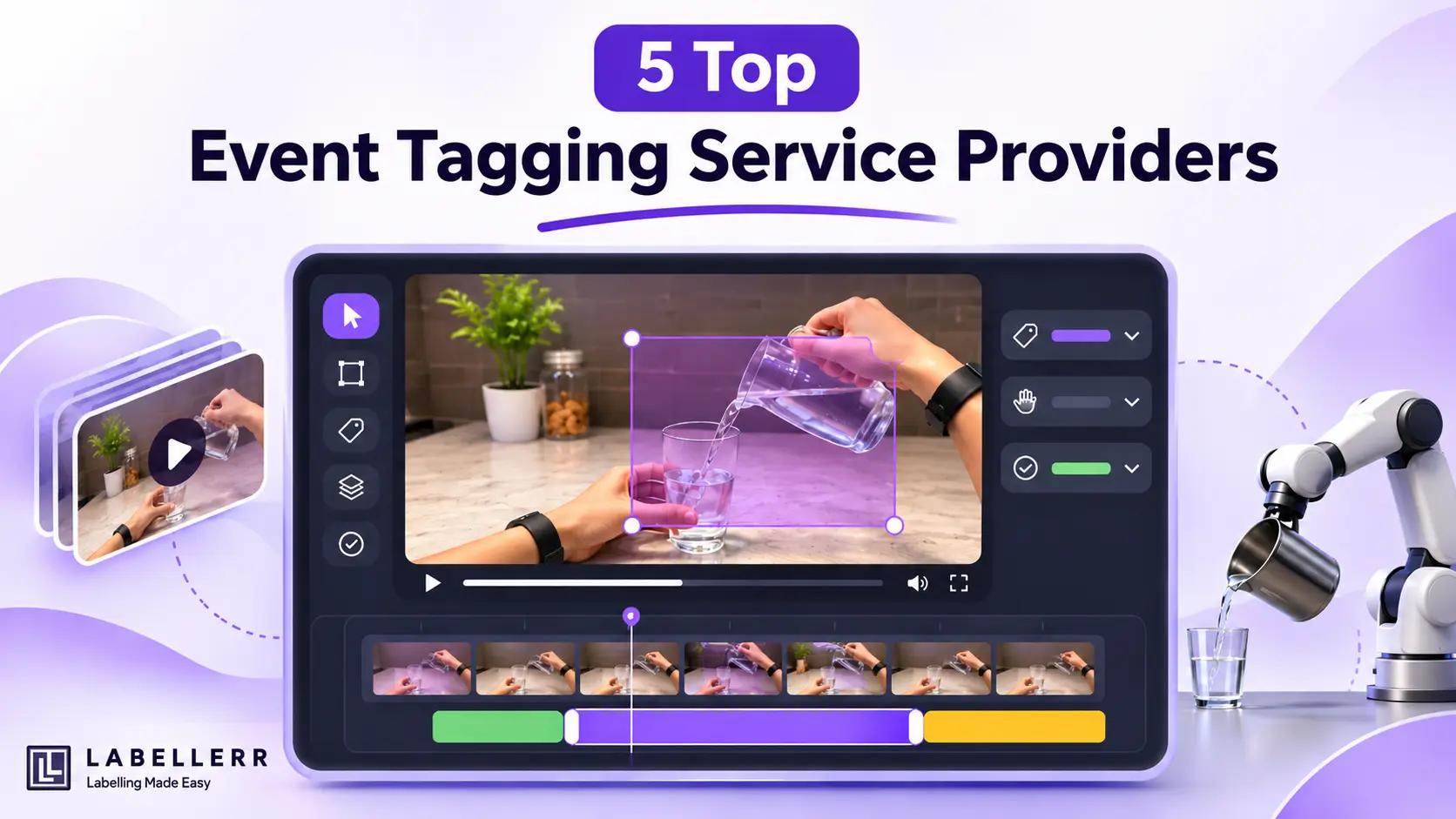
Teach a robot to pour water, and it needs to know exactly when the pour starts and when it stops. One missed boundary can teach the wrong lesson.
That is why event tagging has become a specialist job. Teams need more than a video player. They need a timeline that marks start and end frames. They also need a review step that catches drift, and clean exports their training pipeline can read.
Choosing a provider is hard because almost every vendor lists "video annotation" on its homepage. Far fewer offer real timeline tools for events, and fewer still connect tagging to review and export. The five providers below cover that workflow in different ways.
The stakes are high. Robotics teams now collect first-person footage at a huge scale, so every hour of video needs consistent timing. A provider that handles boundaries well saves weeks of rework later.
What to Look for in an Event Tagging Provider
A strong event tagging provider should offer four things:
- Timeline tagging: Events or actions marked on a video timeline, with precise start and end frames.
- Attributes: Extra fields that add detail to each event, such as the hand used or the outcome.
- Review: A quality check before any data leaves the platform.
- Clean exports: Output that plugs straight into a training pipeline.
Keep these four points in mind as you compare the options below.
1. Labellerr
Labellerr treats event tagging as a dedicated video feature. Setup is simple. You create a video annotation project, then build a template with the event object type and add one class for each action, such as grasp, pour or place.
Tagging is just as direct. Annotators add an event at the frame where an action begins. They then double-click the event and click Set End Frame on the final frame. The event appears on the timeline with its full duration.
Each event can carry custom attributes, such as the hand used or the success status. The attribute box opens automatically when you select an event class, and the E key opens it at any time.
Review happens in the same tool. A reviewer adds remarks marked as Mistake or Suggestion, then accepts, rejects or skips each file. Accepted files move straight to export, ready for model training.
Labellerr also offers a step-by-step event tagging guide for egocentric footage. The guide makes onboarding faster for new annotators, because each step follows the order the tool expects.
Best for: teams that want one platform for event tagging, review and export, especially with first-person robot data.
2. Encord
Encord supports native video on a timeline and offers a broad set of temporal features. These include temporal boundary definition, hierarchical action decomposition and multi-actor interaction labeling. Keyframes and interpolation reduce manual work between changes, and SAM-based tracking keeps object identities consistent.
Encord also pairs visual labels with natural language descriptions. That pairing is useful for teams training vision-language models on video.
Best for: teams that need object tracking and event labels in one pipeline.
3. V7
V7 Labs
V7 supports timeline-based labeling in its video editor. Labels are segments that span multiple frames, and keyframes mark each change. You can edit an event's class or attributes by right-clicking it. You can also mark an object as in or out of view for a range of frames.
V7 designs events mainly for conditions, such as weather or whether people are present in a room. Events also do not track location. Teams that need fine-grained action labels should test this setup on sample clips first.
Best for: teams that need object tracking alongside simple event conditions.
4. SuperAnnotate
SuperAnnotate
SuperAnnotate supports video with object tracking. Its video editor lets you add timeline sections to a tracked instance. You can split an object or section at a chosen frame, and add attributes at specific keyframes.
Event instances label conditions over a timeframe, such as weather or background noise. You can set an event with the + button or by dragging across a range. Teams with detailed action vocabularies should check how well these events fit their label set. Grouping is also available, so linked parts of one object can share a Group ID.
Best for: teams that already label images in SuperAnnotate and want to add video.
5. Label Studio
Label Studio is a popular open-source labeling tool from HumanSignal, and it handles event tagging through its TimelineLabels tag. You pick a label, then click once on the timeline to tag a single frame or click and drag to tag a span. Each event is saved as a start and end range with its label, which keeps the output easy to parse.
Because the setup is fully configurable, teams can build their own label sets for actions such as grasp, pour or place. For robotics work, the paid editions add a Robotics Episode Review interface. It supports multiple camera feeds, subtask segments and markers for mistakes and subgoals.
Best for: teams that want a flexible, open-source tool and have the engineering time to configure it.
Quick Comparison Table
| Provider | Type | Event Tagging on Timeline | Best For |
|---|---|---|---|
| Labellerr | Platform and services | Dedicated event type with start and end frames | Full tagging, review and export workflow |
| Encord | Platform | Temporal boundaries and action labels | Tracking plus event labels |
| V7 | Platform | Event conditions and timeline segments | Tracking with simple conditions |
| SuperAnnotate | Platform | Events and timeline sections on tracked objects | Adding video to image projects |
| Label studio | Managed service | Action boundary labeling | Outsourced temporal labeling |
How to Choose the Right Provider
Start with your data. If you work with first-person video, check how each provider handles fast camera motion and hidden hands. Next, decide whether you need actions or conditions. Some tools handle conditions well but struggle with fine-grained action labels.
Then run a pilot. Give two or three providers the same 20 to 30 clips, and compare their start and end frames. Measure how far the boundaries differ and how often the labels disagree. These results tell you more than any feature list.
Also look closely at review. Ask how reviewers flag mistakes, how rejected files return to annotators, and whether review happens inside the same tool. A weak review step lets small timing errors spread across thousands of clips.
Finally, think about your team. A platform suits teams with in-house annotators. A managed service suits teams that want results without building a labeling operation.
Conclusion
Event tagging turns long, unstructured video into timed data that robots can learn from. The quality of that data depends on every boundary, so the provider you choose matters a great deal.
Labellerr leads this list because it covers the full event tagging workflow in one place, from timeline marking to attributes, review and export. The other four providers each bring clear strengths, especially for tracking or managed teams. Whichever provider you choose, define your label rules first, test them on a small batch, and review the results often.
Ready to tag your own footage? Start an event tagging project in Labellerr at labellerr.com and follow the step-by-step guide at docs.labellerr.com/features/event-tagging. Upload one short clip, mark a few events, and see how the timeline works on your data before you scale.
Sources:
- Labellerr docs: Event Tagging
- Labellerr docs: Review Annotations
- Labellerr docs: Create Export
- Encord: Advanced video annotation, temporal tracking and action recognition
- V7 docs: Video labeling guide
- SuperAnnotate docs: Video annotation
Frequently Asked Questions
Q1. What is event tagging in video annotation?
Event tagging is the process of identifying and labeling specific actions or activities in a video with precise start and end frames. It converts unstructured video footage into structured, time-based data that can be used to train AI and robotics models.
Q2. Why is event tagging important for robotics and egocentric video data?
Event tagging helps robots understand when an action starts, how long it lasts, and when it ends. In egocentric video, accurate event boundaries help models learn actions such as grasping, pouring, placing objects, and interacting with the environment.
Q3. What should you look for in an event tagging platform?
Look for precise timeline tagging, customizable event attributes, annotation review workflows, and clean data exports. These features help maintain consistent labels and ensure annotated video data is ready for AI model training.

Simplify Your Data Annotation Workflow With Proven Strategies