Construction Step Timeline Detector
Discover how we built an automated vision pipeline using YOLO11 to detect first-person construction steps. This system turns raw egocentric video into structured task timelines, improving workflow safety and providing crucial training data for physical AI robots.
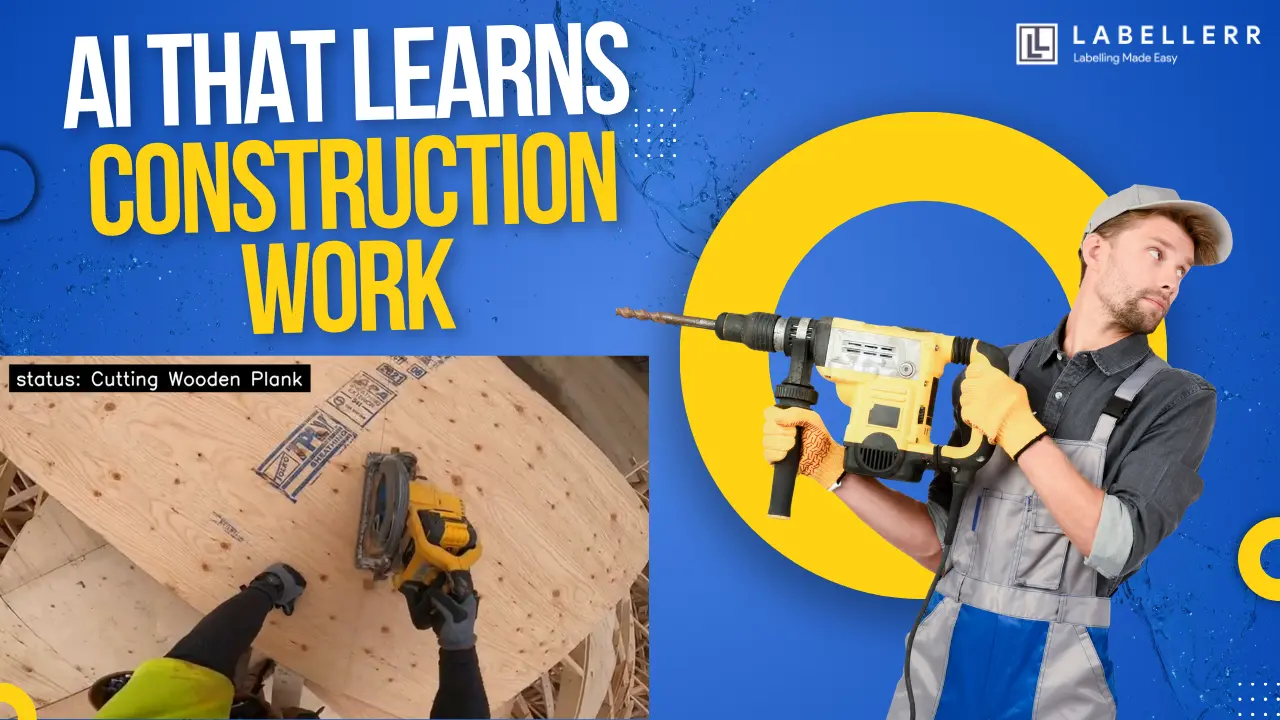
Construction sites are busy and complex. Workers perform dozens of different tasks every hour. You can see people measuring wood, cutting planks, and using nail guns. Tracking these steps is important for safety and project management. Doing this by hand can take a lot of time and effort. In busy environments, manual tracking can lead to missed details and poor safety checks.
This project builds a computer vision system to automate that task. It uses a fine-tuned YOLO11 Classification model to detect and classify construction steps from a first-person video. Once an action is detected, the system logs the event to build a timeline. The same pipeline relies on advanced context recognition within the frames.
The main goal is to improve safety and workflow tracking. The system needs to know exactly what a worker is doing at any given second. In this blog, we will look at how the system works, why YOLO11 is useful for this task, how the video is processed, and how this helps train future physical AI robots.
The Problem with Manual Task Tracking
A standard construction site relies on managers to track progress. Supervisors walk around with clipboards and check off tasks. A manual system can follow a basic checklist, but this creates a major problem.
Human error happens constantly. During long shifts, site managers get tired. There are dozens of workers doing different things at once. If the management team loses track of a step, it can lead to bad quality control. Sometimes, workers skip safety steps like wearing protective gear.
Checking video footage manually also takes a lot of time. If a supervisor wants to find a specific event, they must watch hours of video. If they need to see when a worker cut a wooden plank, they have to fast-forward and guess. This delay is not ideal. We need a system that can watch the video and instantly know what is happening.
How YOLO11 Solves the Problem
The basic idea is simple. We give a camera system a clear first-person view of the workbench. The system uses a YOLO11 Classification architecture. The model looks at the entire frame and identifies the overall scene. For example, it can instantly spot if a worker is using a hammer versus a measuring tape, based on the objects and background context.
The model returns a classification label for the current frame. We trained the system on specific tasks like measuring, marking areas, and refilling nails.
The Ultralytics Python package makes it easy to train the model and run predictions. The system converts its predictions into a clean text overlay. A black text box is drawn at the top left of the screen to show the current status.
Project Workflow
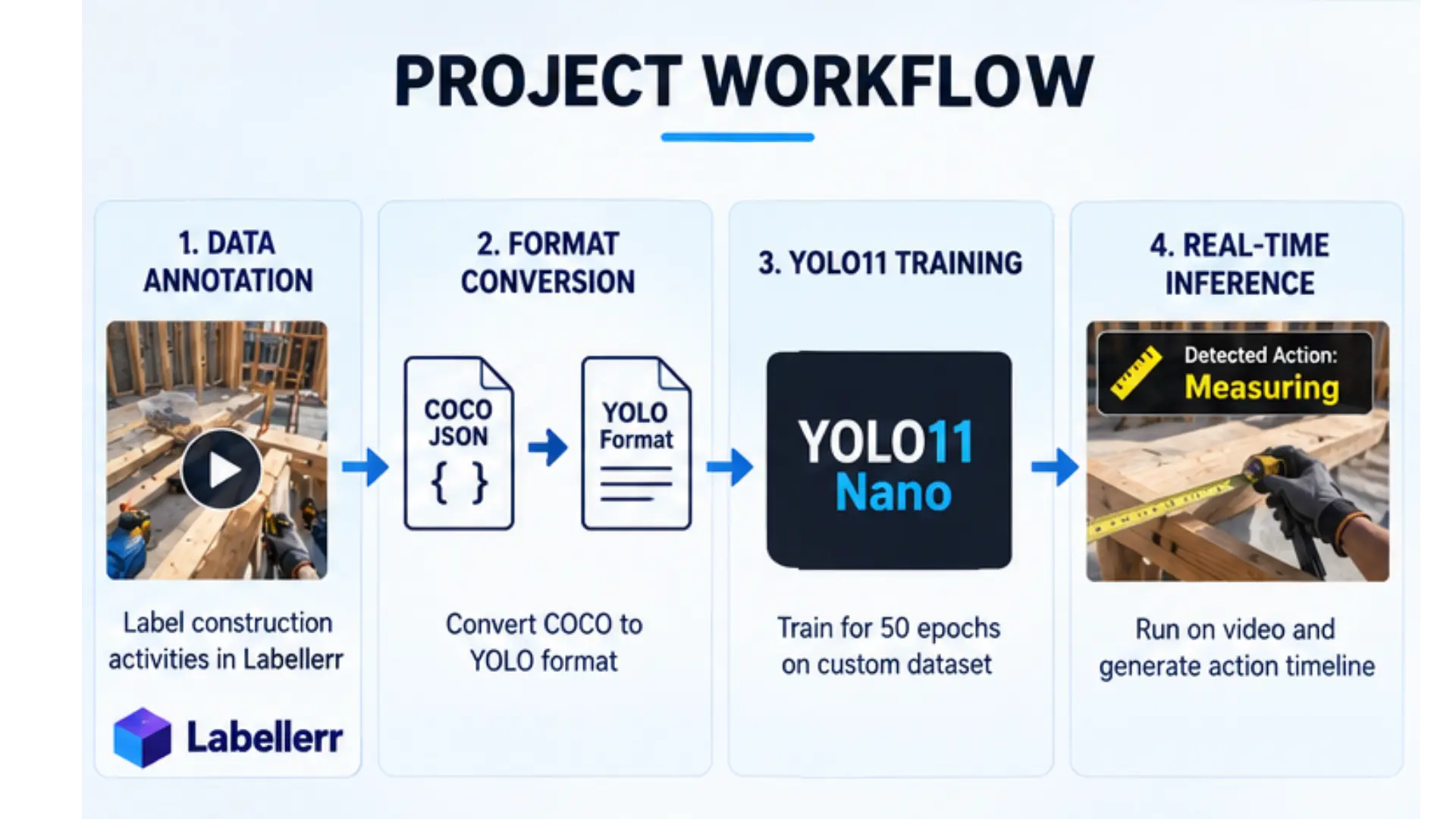
The complete system has four simple stages: data annotation, format conversion, training, and real-time inference.
First, we label the custom dataset using the Labellerr platform. Next, we download the labels in a COCO JSON format. A custom Python script converts this data into the standard YOLO format. This creates specific folders for the training and validation images.
Project Workflow
The model then trains on these images for 50 epochs. The model learns what the different tools and scene actions look like. Finally, the best trained model weights are loaded back into the software to run real-time inference on the original video.
This makes the system simple to understand and easy to extend.
Detecting Actions in First-Person Video
The first step was to test and train the system on extracted frames. Testing on frames is useful because it lets us teach the model before moving to a fast-moving video.
The video frames are extracted based on specific event boundaries defined in the Labellerr JSON file. A stride of three is used to save every third frame. This prevents the model from seeing too many identical images. The model then runs over these images and learns what the construction steps look like.
Each detection identifies the global scene. This model relies purely on recognizing patterns and features within the frame, such as specific tools or materials, to classify the current action. This prepares the system to generate structured data from messy video.
Focusing Purely on YOLO11 for Contextual Understanding
A simpler version of this project could just use basic scene classification. We achieved high accuracy in this project without relying on explicit hand keypoint tracking models.
Instead, our fine-tuned YOLO11 model became powerful enough to learn contextual action cues. For example, it learned that the combination of a hand, a specific grey gun, and small metal objects implies the action "Using NailGun," even without being told where each finger was.
This approach produces a very streamlined system. We use a single deep learning model for the entire timeline generation task. This single-model pipeline keeps the project simple to deploy and highly accurate. It proves that end-to-end classification can be extremely effective for analyzing complex physical work.
Improving the Training Quality with Labellerr
Training an AI usually requires very clean data. This project used the Labellerr platform to get highly accurate annotations. To do this, you visit the Labellerr website and sign up. After signing in, you create a workspace by entering a unique name. Then, you navigate to the API keys page to generate your API Key and API Secret.
The project extracts event segments from the Labellerr JSON file and uses them to build a classification dataset. We assigned 80 percent of the frames to the training set and 20 percent to the validation set.
This careful balancing allowed the model to successfully learn a wide variety of construction phases. It learned complex visual differences, such as the difference between carrying a wooden plank and placing it down.
Handling Video Inference
After the image training worked, the next step was to process a complete video. A video contains many individual frames. The system loads the best trained model weights and runs inference back on the original MP4 video.
The model searches for events, and the detected status is printed on the screen. During video inference, the script maps the raw YOLO class names to clean display text. For example, "Using_NailGun" becomes "Using NailGun".
The basic workflow is: Video → Frame → YOLO11 Model → Text Overlay → Output Frame.
Running deep learning on every frame of a video can be slow. However, this project strategically uses a lightweight Nano architecture. The Nano version is very fast. It maintains high inference speeds on video without sacrificing accuracy.
First-Person Motion is a Challenge
One important limitation appeared during testing. First-person video is very shaky. The camera moves constantly as the worker looks around the workbench.
Furthermore, the lighting can change quickly. A worker might look toward a bright window and then down at a dark wooden board. This means the model must be very robust to handle blurry frames and lighting changes.
Training on a diverse set of frames helped solve this. The frame extraction script captured different angles and lighting conditions. The model looks at the global scene and the objects to figure out the current task, rather than getting confused by the shaky camera.
Real World Applications
An egocentric task tracking system can be highly useful in many industrial workflows. An automated system can reduce the amount of manual logging needed.
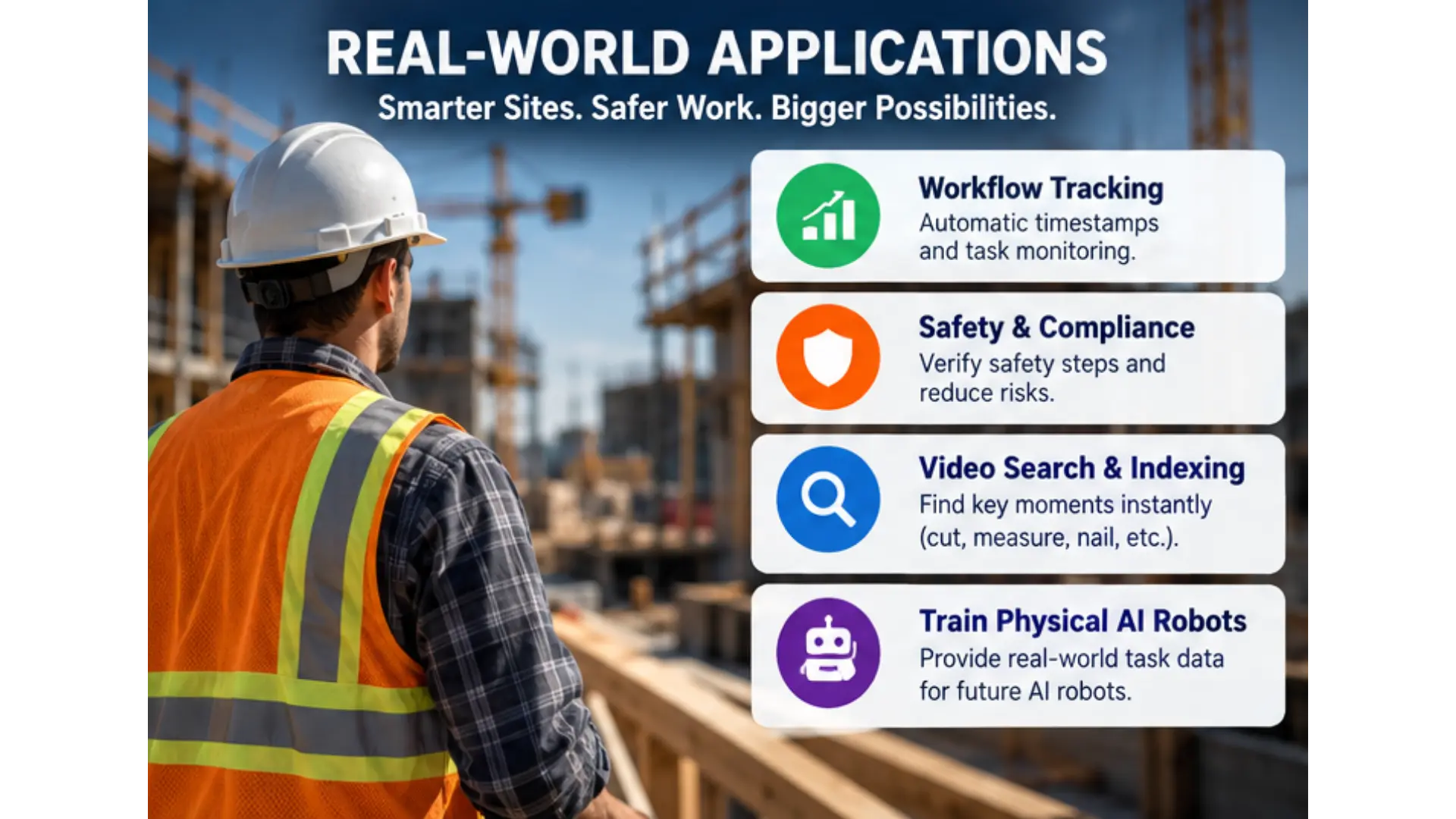
One important application is Automated Workflow Tracking. The system generates timestamps and chapter markers for different construction tasks. This helps managers monitor compliance.
Real World Applictions
The system also helps with Safety and Ergonomics Analysis. By identifying specific actions like handling dangerous tools, managers can verify safety protocols are followed.
Another major use is Video Search and Indexing. It allows direct navigation to moments like cutting, measuring, or nailing within long footage. You no longer have to watch the entire video to find a single event.
Finally, it provides the exact structured data needed to train physical AI robots. Robots can watch these processed first-person videos to learn how to perform these very same physical tasks autonomously in the real world.
Key Features of the System
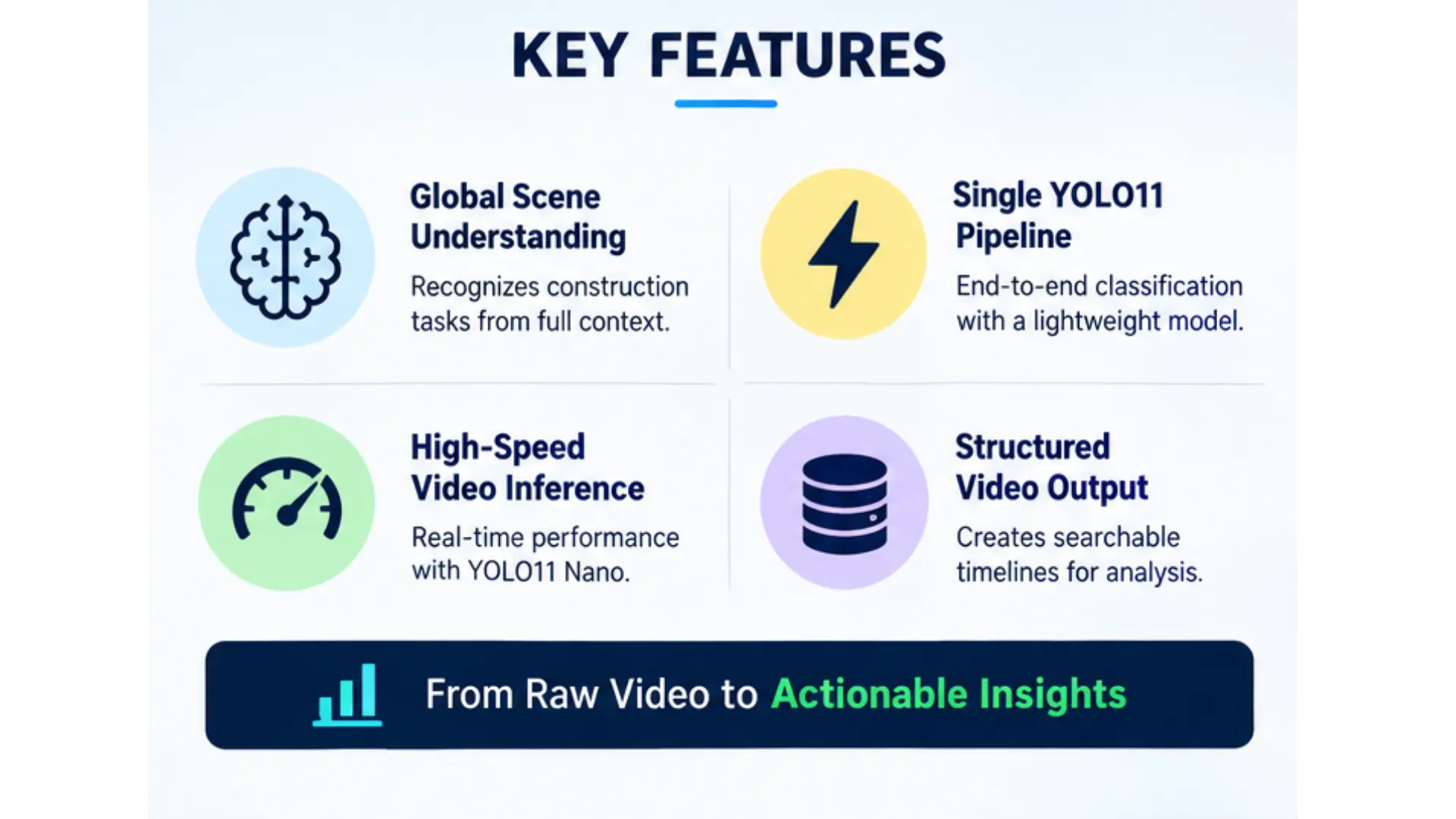
- Global Scene and Context Recognition: The system identifies the current construction phase based strictly on the full workbench features and environment context.
- Streamlined YOLO11 Pipeline: It uses a single, fine-tuned classification model to both understand the scene and categorize the implied action.
Key Features
- High-Speed Video Inference: The same detection logic works on heavy video files. The strategic use of the YOLO11 Nano architecture maintains incredibly high inference speeds.
- Structured Video Understanding: It transforms unstructured construction footage into searchable and segmented procedural data.
Conclusion
This project shows how a modern computer vision model can be used for tracking physical labor. Instead of relying entirely on human supervisors, we use a single AI vision model to automatically spot, log, and track different construction tasks.
The rest of the system is simple. The model finds the action region, and the software draws a clean, precise status box over it. The same process is applied to video frames to create an automated, real-time tracking system.
The current version proves that basic AI classification, when fine-tuned correctly, can solve massive real-world problems without additional complexity. We can use computer vision to build timelines and monitor safety instantly. This creates a strong base for a safer, more efficient work site, and paves the way for advanced physical AI robots.
How does AI track construction tasks from first-person video?
AI tracks tasks by using a YOLO11 model to analyze the overall scene and context of egocentric (first-person) video frames, automatically classifying actions like measuring, using a nail gun, or cutting wood.
Why use YOLO11 for egocentric vision tracking?
The YOLO11 Nano classification model is highly lightweight and efficient. This allows for real-time, high-speed processing of complex, high-definition video footage without sacrificing precision.
How does this tracking system help train physical AI robots?
By automatically logging and categorizing human actions into a structured timeline, the system creates the exact procedural and visual training data that autonomous robots need to learn and replicate manual tasks.

Simplify Your Data Annotation Workflow With Proven Strategies
.png)