
SAM 2 for Video Annotation: Track Object Across Frames
SAM 2 makes video annotation faster by using prompts to segment and track objects across multiple frames. Learn how SAM 2 works for video object tracking, handle challenges like occlusion and motion blur, and use SAM 2 for AI-assisted video annotation in Labellerr.

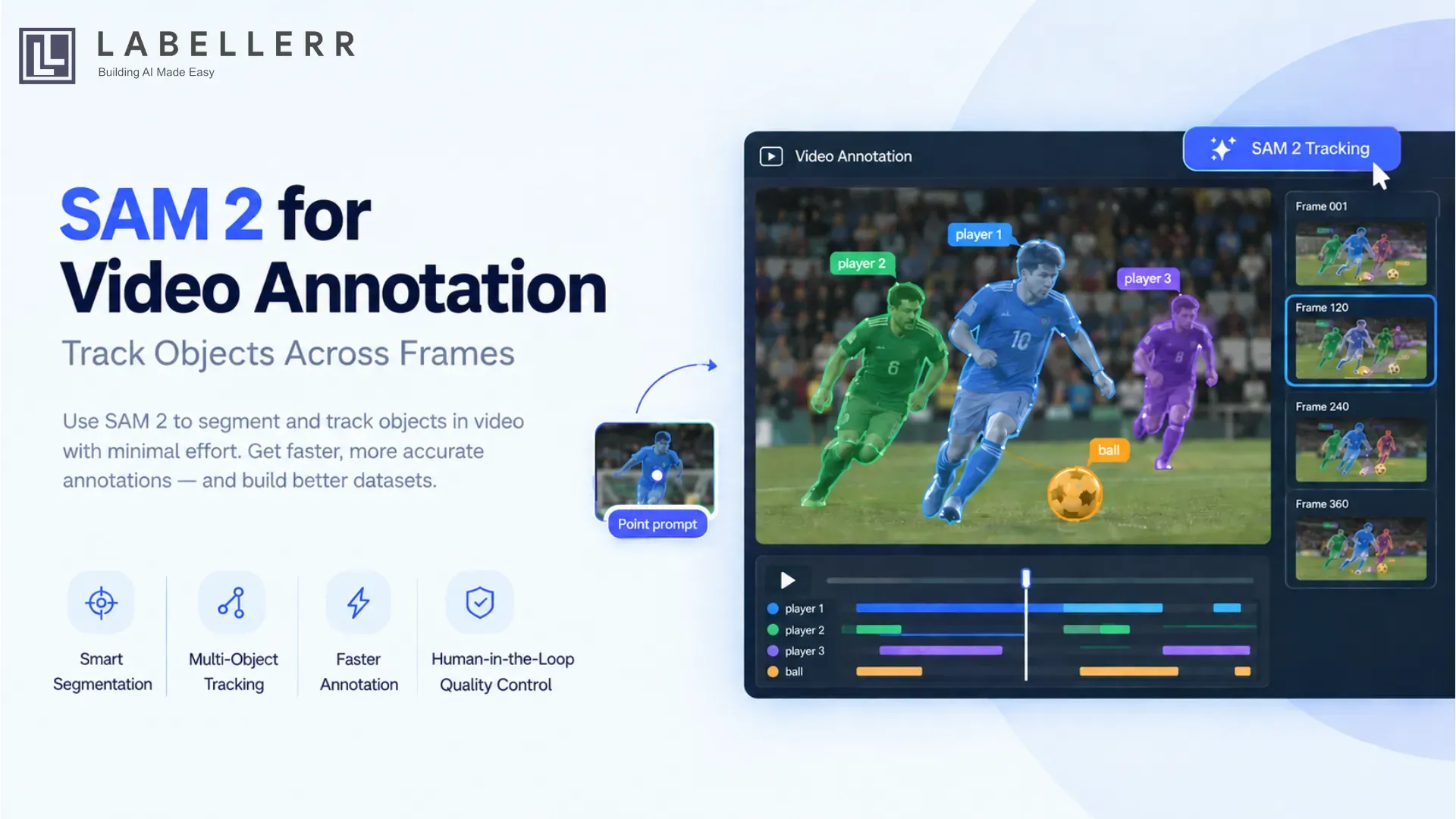
Annotating objects in a video is much harder than labeling a single image. An object can move, change shape, become partially occluded, leave the frame, or overlap with another object. When every frame needs a separate annotation, the process quickly becomes slow and repetitive.
SAM 2 (Segment Anything Model 2) makes this workflow much more efficient. Designed by Meta’s Fundamental AI Research team, SAM 2 is a promptable segmentation model that works across images and videos. For video, it can use a prompt on one frame and propagate the object mask through subsequent frames while maintaining temporal information.
This makes SAM 2 particularly useful for video annotation and object tracking, where the goal is to maintain a consistent object annotation across a sequence of frames.
In this guide, we will cover what SAM 2 is, how it works for video annotation, how it tracks objects across frames, common challenges, and how to use SAM 2 for video annotation in Labellerr.
What Is SAM 2?
SAM 2 is a foundation model for promptable visual segmentation in images and videos. Meta designed SAM 2 as an extension of the original Segment Anything approach, with a video architecture that uses streaming memory to process information over time.
Instead of manually drawing a segmentation mask around an object on every frame, an annotator can provide an interaction such as a point or box to identify the object. SAM 2 can then generate the segmentation and propagate that object through the video.
At a high level, the workflow looks like this:
Select an object → Prompt SAM 2 → Generate mask → Propagate through video → Review and correct
SAM 2 also supports multiple objects in a video and maintains an inference state that allows prompts and corrections to be carried through the tracking process.
Why Use SAM 2 for Video Annotation?
Traditional video annotation often requires an annotator to draw a bounding box, polygon, or segmentation mask repeatedly across frames.
Consider a 30-second video recorded at 30 FPS. That video contains up to 900 frames. If an object appears throughout most of the video, manually annotating it frame by frame can require hundreds of repetitive operations.
SAM 2 changes the workflow by allowing the annotator to provide an initial prompt and use the model to propagate the annotation across frames.
This can reduce several common problems in video labeling:
Less frame-by-frame manual work
Instead of manually segmenting the same object on every frame, the annotator can initialize the object and allow SAM 2 to propagate the segmentation through the sequence.
Better temporal consistency
Video annotation is not just about finding an object. The same object needs to remain associated with the same annotation as it moves through the video.
SAM 2's video predictor maintains information across frames, allowing it to propagate object masks through the video.
Faster annotation of moving objects
SAM 2 is especially useful for objects that move significantly between frames, including:
- Vehicles
- People
- Sports players
- Balls
- Animals
- Industrial parts
- Retail products
- Agricultural objects
Easier handling of difficult frames
Objects may become partially hidden or temporarily leave the visible area. SAM 2 can use contextual information from the video sequence, while annotation tools can allow humans to correct predictions when necessary. Meta specifically describes SAM 2's ability to continue tracking objects when they temporarily disappear from view and to refine predictions using additional prompts.
How to Use SAM 2 for Video Annotation in Labellerr
Labellerr integrates SAM 2 directly into its video annotation workflow so annotators can initialize an object, run tracking, review the generated annotations, and make corrections without manually labeling every frame. Labellerr's documentation describes this workflow as AI-assisted video object tracking with manual annotation, point prompts, and automated tracking.
Step 1: Upload Your Video
Start by uploading the video you want to annotate to Labellerr.
Once the video is available, play it briefly to understand the objects and events that need to be labeled.
For example, you may be working with a sports video containing:
- Players
- Ball
- Referee
Create the labels you need before starting the tracking workflow.
Step 2: Select the Object
Choose the object class you want to annotate.
For example:
Label: player
Then select the SAM 2 annotation tool through the annotation interface.
Labellerr provides SAM 2 through its Magic Brush workflow.
Step 3: Add a Point Prompt
Place a point on the object you want SAM 2 to segment.
For example:
Click inside the player's body.
SAM 2 uses the prompt to generate the segmentation for that object.
Review the result and confirm the mask before starting tracking.
Step 4: Start SAM 2 Tracking
After creating the initial annotation, right-click the object and select SAM 2 Tracking.
Labellerr can then automatically track and segment the object across the video timeline.
The basic workflow becomes:
Annotate object → Run SAM 2 Tracking → Propagate across frames → Review
This is significantly different from manually drawing a segmentation mask on every frame.
Step 5: Review the Tracking Timeline
Labellerr provides a timeline view for reviewing the tracked object.
The tracking timeline helps identify where an object is:
- Present
- Absent
- Incorrectly segmented
- Temporarily out of view
Labellerr's documentation also describes timeline indicators and gaps that can help annotators identify potential tracking or visibility problems.
This review step is important because automated annotation should still go through human quality control.
Step 6: Correct Occlusions and Errors
Suppose a player disappears behind another player for several frames.
Instead of manually rebuilding the entire track, the annotation workflow can be corrected around the problematic section.
Labellerr provides options to mark an object as out of view or in view when the tracking state does not correctly represent what is happening in the video.
This creates a practical human-in-the-loop workflow:
SAM 2 generates → Annotator reviews → Annotator corrects → Final dataset
Step 7: Track Multiple Objects
The same workflow can be repeated for multiple objects.
For example:
Player 1 → SAM 2 Tracking
Player 2 → SAM 2 Tracking
Ball → SAM 2 Tracking
Labellerr also supports running multiple annotation jobs and tracking multiple objects within a video workflow.
This is useful for datasets where several instances of the same class need to be tracked independently.
When Should You Use SAM 2 for Video Annotation?
SAM 2 is particularly useful when:
The same object appears across many frames
For example, a vehicle traveling through a road scene.
You need segmentation instead of only bounding boxes
SAM 2 can produce pixel-level object masks rather than only rectangular regions.
The dataset contains many moving objects
Examples include sports players, vehicles, people, animals, and industrial objects.
Manual frame-by-frame annotation is becoming the bottleneck
AI-assisted propagation can remove a large amount of repetitive work.
You need human review
SAM 2 works well as part of a human-in-the-loop workflow where the model performs the repetitive propagation and annotators validate or correct the results.
Common Challenges in SAM 2 Video Annotation
AI-assisted tracking can significantly reduce annotation effort, but it does not eliminate the need for quality control.
Occlusion
An object may move behind another object.
For example:
A player moves behind another player.
The visible pixels may change significantly, making accurate tracking more difficult.
Motion Blur
Fast-moving objects may become blurred between frames. This can reduce segmentation quality.
Camera Movement
A moving camera changes the visual context of the scene even when the object itself remains relatively stable.
Similar Objects
Consider a warehouse video containing dozens of visually similar boxes.
The annotation system needs to maintain the correct object identity rather than switching from one object to another.
Object Leaving the Frame
An object may disappear completely and later return.
A good annotation workflow must distinguish between:
Object is temporarily out of view
and
Object is still visible but incorrectly segmented
This distinction is important when preparing high-quality tracking datasets.
Tracking Drift
Small errors can accumulate over a long sequence. Human review is therefore still important, especially for high-value datasets.
Best Practices for SAM 2 Video Annotation
Start with a clear keyframe
Select a frame where the target object is clearly visible.
A clean initial prompt generally provides a better starting point for propagation.
Use precise prompts
Avoid placing a point on the background or at the boundary between two objects.
For crowded scenes, choose a point that clearly belongs to the target object.
Review long sequences
Do not assume that a track is correct simply because the initial segmentation looks good.
Check the sequence periodically for:
- Mask drift
- Identity switches
- Occlusion errors
- Missed frames
- Incorrect boundaries
Correct difficult frames
When the prediction starts drifting, use an additional prompt or manual correction instead of allowing the error to continue through the entire sequence.
Use appropriate annotation types
Bounding boxes may be sufficient for simple detection tasks.
Segmentation masks are more appropriate when the exact object shape matters.
Examples include:
- Medical imaging
- Robotics
- Product segmentation
- Industrial inspection
- Fine-grained object analysis
Conclusion
SAM 2 provides a practical way to reduce repetitive work in video annotation. Instead of manually segmenting the same object across hundreds of frames, annotators can provide an initial prompt, propagate the object through the video, and focus their effort on reviewing and correcting difficult frames.
The most effective approach is not simply to automate annotation. It is to combine AI tracking with human quality control.
With Labellerr, you can use this approach directly inside the video annotation workflow: select an object, prompt SAM 2, run tracking across the video, review the timeline, and correct errors where needed.
For teams building datasets for computer vision, robotics, sports analytics, retail, agriculture, or industrial applications, SAM 2 can make video annotation more scalable while keeping humans in control of the final labels.
FAQs
What is SAM 2 used for in video annotation?
SAM 2 is used to segment and track objects across video frames. An annotator can prompt an object on a frame and use the model to propagate its segmentation through the video.
Can SAM 2 track objects across multiple frames?
Yes. SAM 2 includes a video predictor designed for propagating object masks through video and supports multiple objects.
Can SAM 2 handle multiple objects?
Yes. The official SAM 2 video implementation supports multiple objects and maintains an inference state for video interactions.

Simplify Your Data Annotation Workflow With Proven Strategies
.png)