Meta Muse Spark 1.1: The Future of Agentic AI and Coding
Learn how to integrate Muse Spark 1.1 using the Meta Model API. Switch your current OpenAI or Anthropic SDK setups with a single line of code to easily deploy multimodal inputs, code generation, and stateful agentic workflows that preserve thinking blocks across turns.
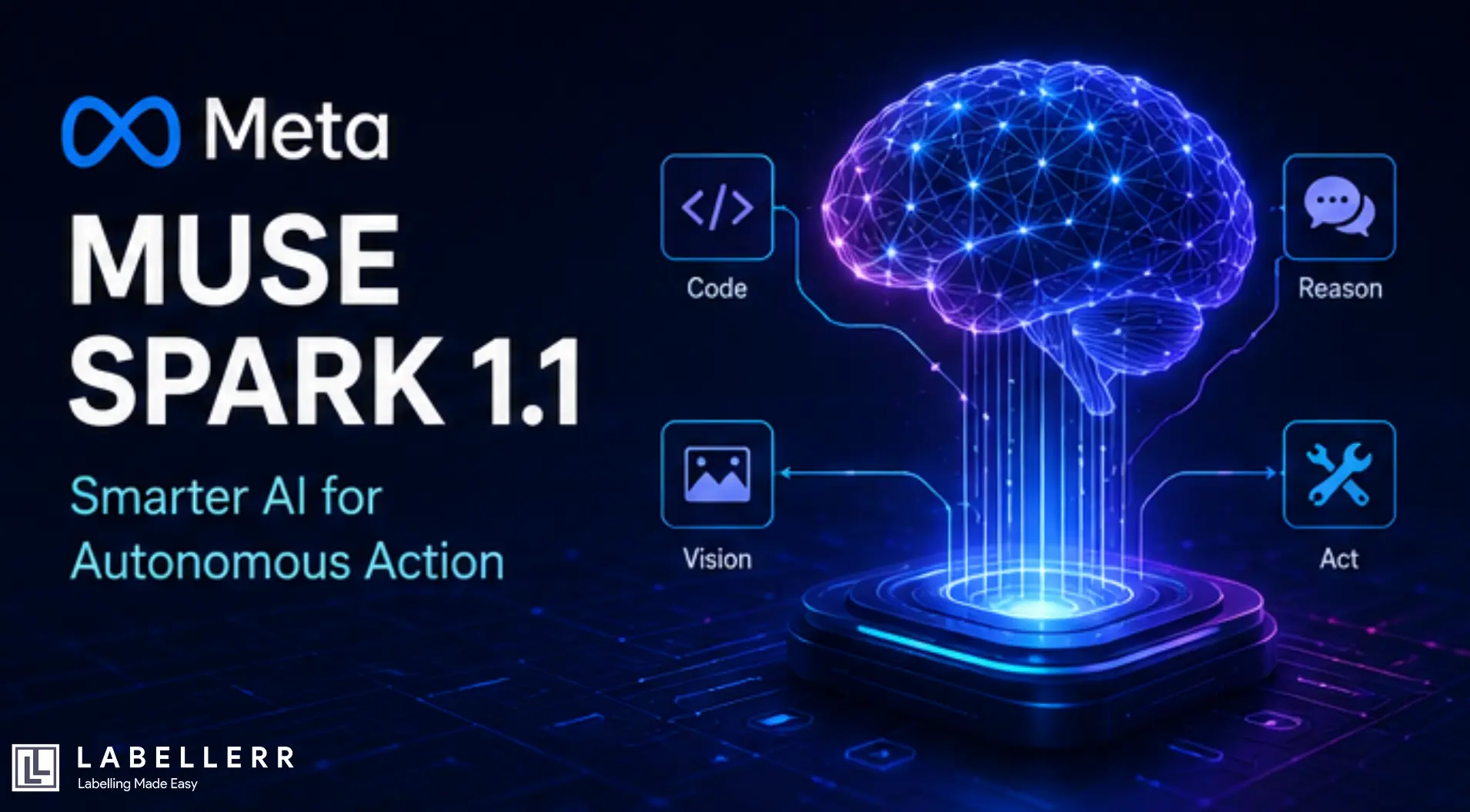
Building good AI agents and coding tools used to be very hard. Old systems often lost their way on long tasks. They forgot prior steps or could not coordinate multiple jobs at once. Sometimes developers had to restart their entire workflow after a small error. Now, Meta is changing this with its latest model. On July 9, 2026, Meta Superintelligence Labs released Muse Spark 1.1. This new model represents a major leap forward for automated software workflows. This report reviews its new architecture, real-world benchmark results, and easy API integration steps. This analysis also explains how its low cost will shape the future of AI development.
What Is Meta Muse Spark 1.1?
Muse Spark 1.1 is the latest multimodal thinking model from Meta. This model builds directly upon the original Muse Spark released in April. It is designed to act as an assistant that can perform active thinking. Users can access this model in thinking mode on the Meta AI app. It will also soon power experiences across Facebook, WhatsApp, and Instagram.
This upgrade also marks a major transition for Meta's business. Outside developers can now access this model through a public API. This paid API represents a big shift from Meta's previous free models. Selling API access helps Meta pay for its massive data centers. This change puts Meta in direct competition with other paid cloud services. The company ran deep tests to make sure the system is very safe to use. They tested against severe risks like cybersecurity issues, biological weapons, and loss of control. Meta added multi-layered guardrails to lower these risks. These filters ensure the system stays safe even when running on its own.
The Architecture - Unified and Multimodal
The architecture of Muse Spark 1.1 is built to support autonomous actions. It combines text, image, and video inputs into one unified system. This design lets the model understand complex environments and act on them. Running tasks in parallel helps reduce the time it takes to finish projects. Subagents handle smaller jobs and report back to the main system. This saves both time and computing power during complex tasks.
.webp)
Model Architecture
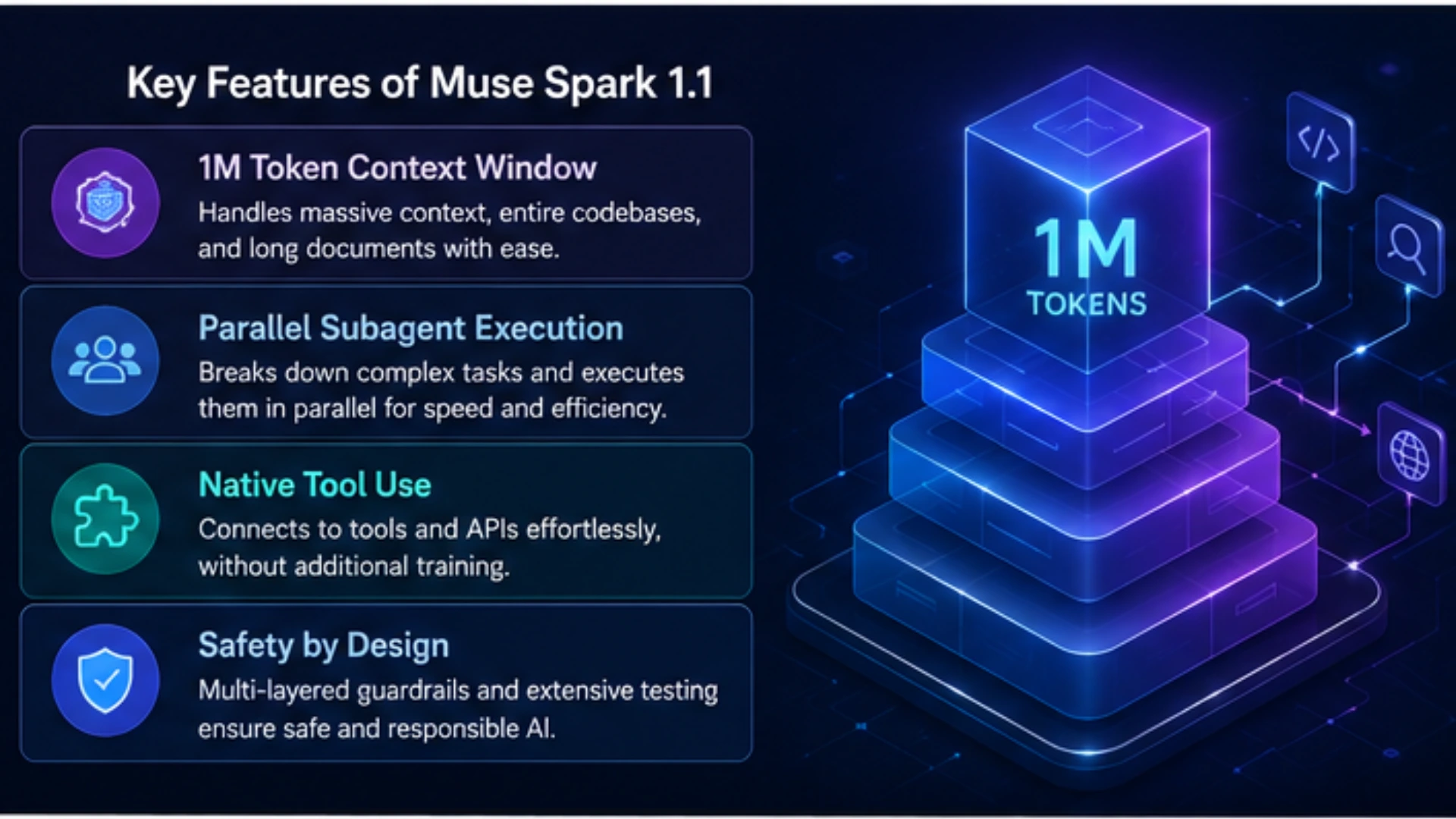
First, the model features a massive one-million-token context window. This large memory lets the system read entire codebases or long document lists. The model also manages this window itself by shrinking older talk history.
Second, the system excels at coordinating different AI agents. It acts as a main agent that hands work to small subagents to run in parallel.
Third, the model can use new tools without any extra training. It easily connects to custom skills and standard tool servers. This makes adding the model to your current software very fast.
Benchmark Results and Empirical Evaluation
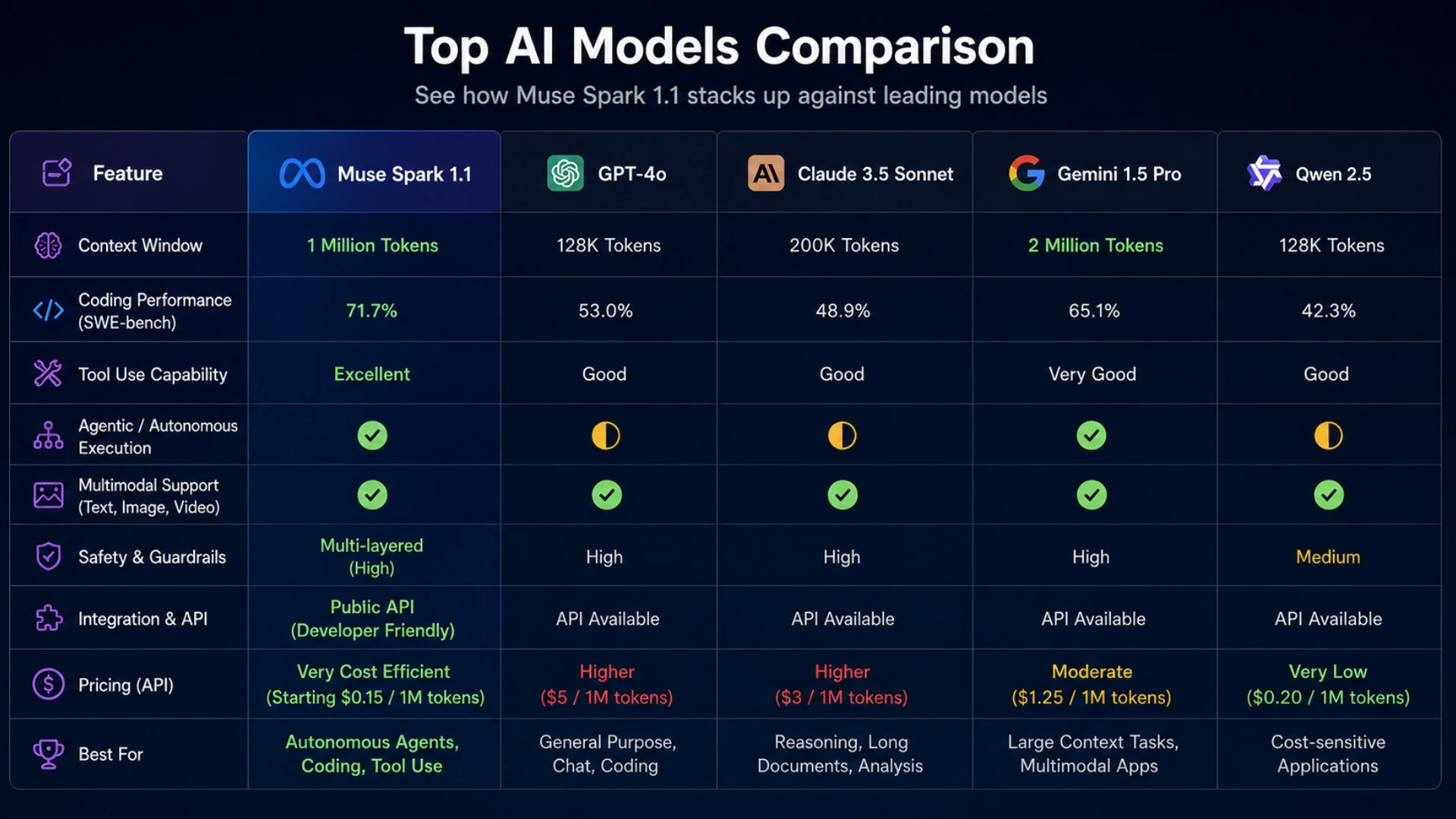
Tests show that Muse Spark 1.1 delivers strong performance across many tasks. The model was run through deep tests against other leading systems. The results highlight its great strength in using tools and writing code.
Comparative Agentic AI Landscape
| Model | Main Strength | Weakness | Context Window | Tool Support | Evaluation |
| Muse Spark 1.1 | Multi-agent workflows | Dense custom math | 1,048,576 tokens | Yes, zero-shot MCP | 51 Index Score |
| Claude Opus 4.8 | Deep logic steps | Expensive API rates | 200,000 tokens | Yes, custom tools | 56 Index Score |
| GPT-5.5 | General software coding | High output price | 128,000 tokens | Yes, standard tools | 44% Last Exam |
| Grok 4.5 | Fast tool planning | False fact mistakes | 131,072 tokens | Yes, basic APIs | 54 Index Score |
Empirical Evaluation Highlights
First, on the MCP Atlas tool test, Muse Spark 1.1 scored 88.1 points. This score places it ahead of top rival models. It proves that the system is very good at using external tools and services. On the SciCode test, the model scored 58 percent, placing it third overall. It also reached 45 percent on Humanity's Last Exam. These scores show deep strengths in science and hard problem-solving.
Models Comparison
Second, coding tests show large gains over the older version. It solved many real software issues in SWE-Bench tests. It also did well on long-horizon coding tasks where models must plan over many steps. The system scored 61.5 percent on SWE-Bench Pro, beating older models. It also scored 53.3 percent on the DeepSWE 1.1 test. These scores highlight a major jump in writing and fixing code.
Finally, the model displays excellent visual thinking skills. It can study real video files and use that data to click buttons and browse web pages on your behalf. It scored 76.3 percent on the BabyVision visual test. The system also scored 80.8 percent on the OSWorld computer use test. This shows the model can see screens and use software like a human.
Capabilities at a Glance
Muse Spark 1.1 offers a rich set of features built for automated work. It acts as a main agent to plan projects and direct other small agents. The model excels at computer tasks that span across many software programs. It knows when to write a script and when to click buttons on a screen. In software coding, it easily fixes bugs and updates very old systems. It uses planning mode, goals, and smart memory tools inside OpenCode. The model also handles visual tasks where seeing and acting happen in one loop. For example, it can watch a home video and list an item for sale on Facebook. It even takes screenshots during code runs to find and fix visual errors on websites. This mix of actions makes the system a highly useful tool.
Key Features
How to Run Muse Spark 1.1 via the Responses API
Developers can easily connect Muse Spark 1.1 to their current systems. The Meta Model API is built to work with standard OpenAI and Anthropic tools. This lets developers switch their code by changing just a single line.
Bash
  pip install openai
export MODEL_API_KEY="your-api-key-here"
Text-to-Text and Code Generation
Developers can send standard prompts using the OpenAI SDK to generate text or code. Simply set the base URL to Meta's endpoint and pass your key.
Python
  import os
from openai import OpenAI

# The OpenAI SDK does not auto-read MODEL_API_KEY, so pass it explicitly.
client = OpenAI(
    base_url="https://api.meta.ai/v1",
    api_key=os.environ["MODEL_API_KEY"],
)

response = client.chat.completions.create(
    model="muse-spark-1.1",
    messages=[{"role": "user", "content": "Write a python function to compute Fibonacci numbers."}]
)
print(response.choices[0].message.content)
Image-to-Text and Multimodal Input Integration
The Responses API also lets you process both text and images in a single request.
Note: A web URL or an uploaded file ID can be passed to refer to your image.
Python
  import os
from openai import OpenAI

client = OpenAI(
    base_url="https://api.meta.ai/v1",
    api_key=os.environ["MODEL_API_KEY"],
)

response = client.responses.create(
    model="muse-spark-1.1",
    input=[
        {
            "type": "message",
            "role": "user",
            "content": [
                {"type": "input_text", "text": "Describe the main items in this image."},
                {
                    "type": "input_image",
                    "image_url": "https://upload.wikimedia.org/wikipedia/commons/e/eb/Halved_Avocado.jpg"
                }
            ]
        }
    ]
)
print(response.output_text)
Stateful Agentic Workflows
Developers can run multi-turn chat sessions and use tools during your agent runs. The API manages thinking blocks to keep track of prior context across turns.
Python
  import os
from openai import OpenAI

client = OpenAI(
    base_url="https://api.meta.ai/v1",
    api_key=os.environ["MODEL_API_KEY"],
)

# Turn 1: Initiate the workflow with a specialized tool or instruction
response_1 = client.responses.create(
    model="muse-spark-1.1",
    input="Analyze the server logs and report if there are any database failures.",
    tools=[{"type": "web_search"}] # Built-in tools can be passed directly
)
print("Turn 1 Response:")
print(response_1.output_text)

# Turn 2: Carry over all prior history and thinking context automatically
# by passing the server-side ID from the previous turn
response_2 = client.responses.create(
    model="muse-spark-1.1",
    input="Great. Now give me a quick command to fix the most recent database error you found.",
    previous_response_id=response_1.id
)
print("\nTurn 2 Response (Context Retained):")
print(response_2.output_text)
Deployment, Tooling, and Integration Options
Meta provides a few ways to run and test this new model. Regular users can try thinking mode on the Meta AI website and mobile apps. Enterprise developers can build custom apps using the public Meta Model API preview.
Iterative Refinement and Workflow Economics
Running AI agent loops requires careful planning of limits and token costs. Managing these variables is key to keeping your project budget safe.
Token Constraints and API Limitations
| Rule | Limit | Impact |
| Max Context Input | 1,048,576 tokens | Allows developers to pass full code repos and large docs |
| Max Output Tokens | 131,072 tokens | Perfect for deep thinking blocks and complex code |
| Cache Discount | $0.15 per 1M tokens | Makes repetitive multi-agent steps very cheap to run |
| API Availability | United States developers | Currently limited to US accounts in public preview mode |
| Web Query Cost | $2.50 per 1,000 queries | Direct charges for pulling live cited web search data |
The Economics of Agentic Automation
The pricing of the Meta Model API is a major win for builders. Input tokens cost just one dollar and twenty-five cents per million. Output tokens cost four dollars and twenty-five cents per million. This pricing makes running long agent runs very cheap. In fact, it is about six times cheaper than using other top tools. The cost of running an agent session can be modeled mathematically as:
Cost = (I × Pi) + (O × Po)
Where:
- I is the number of input tokens.
- O is the number of output tokens.
- Pi is the price per input token.
- Po is the price per output token.
Because Meta's pricing is highly competitive, the total cost remains minimal.
Optimized Workflow: Chaining Models
Developers can save money by chaining different AI models together. Standard tool calls and formatting steps should be routed to Muse Spark 1.1. This keeps your costs very low during highly repetitive agent loops. The hardest logical steps can then be handed to high-cost premium models. This division of work delivers high speed and keeps your bills low.
Conclusion
Meta's Muse Spark 1.1 represents a massive step forward for AI systems. By opening a paid API, Meta is competing directly with other industry leaders. The model combines excellent tool use, multi-agent planning, and visual skills at a low price. This update shows Meta's goal of building personal superintelligence for everyone. It offers developers a cheap way to build powerful and independent apps today.
FAQs
Can I use my existing OpenAI or Anthropic SDK code with Muse Spark 1.1?
Yes. The Meta Model API is designed to be fully drop-in compatible with standard OpenAI and Anthropic SDK tools, allowing you to switch models by simply changing the base URL and API key.
How does Muse Spark 1.1 manage context across multi-turn agent sessions?
The API tracks state natively by passing a previous_response_id in subsequent requests, allowing the system to manage internal thinking blocks and prior conversation context automatically.
Does the Responses API support multimodal inputs?
Yes, the Responses API lets you process text prompts alongside images using either a direct web URL or a file ID within a single request.

Simplify Your Data Annotation Workflow With Proven Strategies
.png)