
Product Update: May 2026

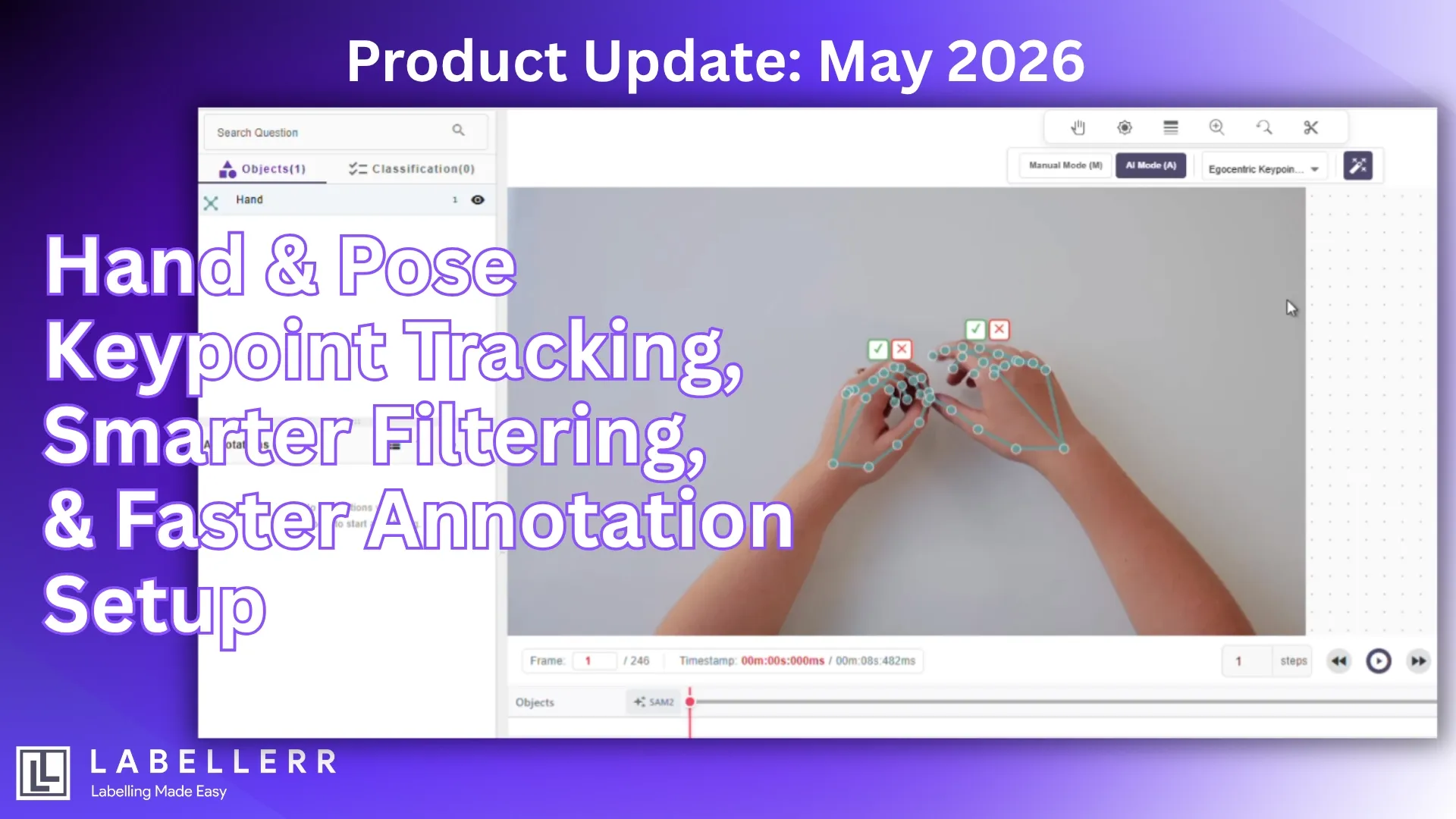
Labellerr introduces a set of improvements designed to make keypoint-based annotation more powerful, more intuitive, and easier to manage at scale. This release focuses on improving both annotation precision and operational efficiency for teams working across image and video datasets.
From enhanced hand tracking support to body pose annotation, improved filtering workflows, and a redesigned keypoint setup experience, these updates are built to reduce annotation complexity while giving teams greater control over how they manage structured labeling tasks.
Here’s what’s new.
Hand Keypoint Tracking on Image and Video (Up to 21 Points)
Precise hand annotation is a critical requirement for many computer vision applications, especially in scenarios involving gesture interpretation, hand-object interaction, and egocentric understanding.
Labellerr now supports Hand Keypoint Tracking across both images and videos with up to 21 keypoints per hand, enabling teams to create detailed and structured annotations for hand movement and articulation.
This enhancement allows annotation teams to define fine-grained hand positions with greater consistency, making it easier to build high-quality datasets for motion-centric AI workflows.
Why this matters
Hands are among the most complex and dynamic objects to annotate. Finger articulation, occlusions, rotation, partial visibility, and rapid motion often create inconsistencies during manual labeling.
With 21-point hand keypoint support, teams can now capture a more complete skeletal representation of the hand, improving annotation depth for downstream modeling tasks.
This is especially useful for:
- Gesture recognition systems
- Hand tracking applications
- AR/VR interaction modeling
- Human-computer interaction datasets
- Robotics hand-movement understanding
- Sign-related motion interpretation
- Fine-grained activity detection
Built for Egocentric Video Annotation
A major advantage of this release is its relevance for egocentric video annotation workflows.
First-person or egocentric videos often contain hands interacting directly with tools, objects, or environments. These scenarios are common in:
- Industrial task monitoring
- Wearable-camera AI systems
- Assembly-line action tracking
- Sports motion analysis
- Human activity understanding
- Training simulation datasets
By supporting structured hand keypoint tracking on video, Labellerr helps teams annotate motion-rich sequences more effectively while preserving temporal consistency.
Body Pose Keypoint Tracking (Up to 33 Points)
Human pose estimation remains one of the most important building blocks for modern computer vision systems.
Labellerr now introduces Body Pose Keypoint Tracking on images with support for up to 33 body keypoints, helping teams create richer skeletal annotations for full-body understanding tasks.
This enables more structured human pose labeling and better representation of body movement, alignment, posture, and positional relationships.
Why 33-point pose annotation matters
Many pose-based AI models rely on detailed skeletal information rather than simple bounding boxes.
With expanded body keypoint support, annotation teams can represent complex body structures more accurately across varied human positions.
This becomes valuable for:
- Pose estimation model training
- Fitness and movement analysis
- Sports performance tracking
- Rehabilitation AI systems
- Safety monitoring
- Human behavior analysis
- Motion recognition tasks
Instead of relying only on object-level detection, teams can now annotate deeper structural relationships within the human body.
Filter Annotations Based on Attributes
As annotation projects scale, managing large volumes of labeled objects becomes increasingly difficult.
Teams often need faster ways to isolate specific annotations, validate subsets of data, and inspect objects with particular metadata values.
Labellerr now supports the ability to filter annotations based on annotation attributes, making annotation review and dataset navigation significantly easier.
Why this improves workflow efficiency
In large datasets, multiple annotated objects may contain varying attributes such as category-specific properties, task-level labels, or review states.
Without filtering, reviewing these subsets can become time-consuming.
With attribute-based filtering, teams can narrow annotation visibility and focus only on the data that matters.
This helps in scenarios like:
- Reviewing specific annotation categories
- Auditing labeled subsets
- Validating project-specific metadata groups
- Faster quality control workflows
- Dataset inspection and correction
- Large-scale annotation reviews
Better operational control for annotation teams
Annotation is not just about labeling; it is also about validation, auditing, and iteration.
Filtering based on attributes helps teams reduce noise inside complex labeling environments and accelerate review tasks without manually scanning large annotation volumes.
This creates a cleaner workflow for QA teams, project managers, and annotation specialists handling structured datasets.
Keypoint Annotation Template Redesign
Creating keypoint structures should be simple, repeatable, and optimized for common computer vision workflows.
To improve usability and reduce setup friction, Labellerr has redesigned the Keypoint Annotation Template experience.
This update improves how teams configure and initialize keypoint-based annotation tasks.
Faster keypoint setup
Keypoint annotation projects often require predefined skeletal layouts before labeling begins.
With the redesigned template workflow, setting up keypoint structures becomes more streamlined and intuitive, helping teams reduce project configuration overhead.
This is especially useful for repetitive workflows where standardized structures are commonly used.
Preset support for Hand and Pose
A major addition to this redesign is preset support for Hand and Pose keypoint templates.
Instead of manually configuring common skeletal patterns from scratch, teams can now start faster using preset structures aligned with keypoint-based workflows.
This improves consistency and speeds up project initialization for tasks involving:
- Hand tracking
- Gesture datasets
- Pose estimation
- Human body analysis
- Motion-related annotation tasks
Better consistency across teams
Standardized template selection reduces variation in annotation configuration across multiple projects.
For large annotation teams, this improves repeatability and helps maintain consistency between annotators, reviewers, and dataset managers.
Ultimately, the redesign makes keypoint project setup faster while improving usability for teams working with structured spatial annotations.
Built for Faster, Smarter Annotation Workflows
The May 2026 Labellerr release focuses on one core goal: making structured annotation workflows more efficient while supporting increasingly advanced AI use cases.
With this update, teams can now:
- Annotate hand movement and articulation with up to 21 keypoints
- Build richer body pose datasets using 33-point skeletal tracking
- Review annotations faster with attribute-based filtering
- Launch keypoint workflows quicker using preset-driven template redesign
As AI models become more dependent on detailed spatial understanding, annotation platforms must support precision, flexibility, and scalability.
These updates strengthen Labellerr’s ability to support teams building advanced computer vision datasets for modern AI systems, while reducing operational friction across the annotation lifecycle.
FAQs
Q1. What is hand keypoint tracking in image and video annotation?
Hand keypoint tracking is the process of labeling key structural points of the hand, such as fingers, joints, and palm positions, to help AI models understand hand movement, gesture recognition, and interaction-based tasks across image and video datasets.
Q2. How does attribute-based annotation filtering improve labeling workflows?
Attribute-based filtering helps annotation teams quickly isolate specific labeled objects using metadata or annotation attributes. This improves review efficiency, simplifies quality control, and makes large-scale dataset management easier.
Q3. Why are preset keypoint templates useful for annotation teams?
Preset keypoint templates reduce manual setup time by allowing teams to start with predefined structures for common tasks like hand tracking and body pose annotation, improving workflow consistency and project scalability.

Simplify Your Data Annotation Workflow With Proven Strategies
.png)