
Building an AI Pull-Up Counter with YOLO11 Pose Estimation
Manual rep counting is flawed. This guide explores building a cheat-proof AI Pull-Up Counter using Python and YOLO11 Pose Estimation. Learn to track skeletal joints in real-time, enforce strict form with "Angle Logic," and build an automated digital spotter that guarantees every rep counts.
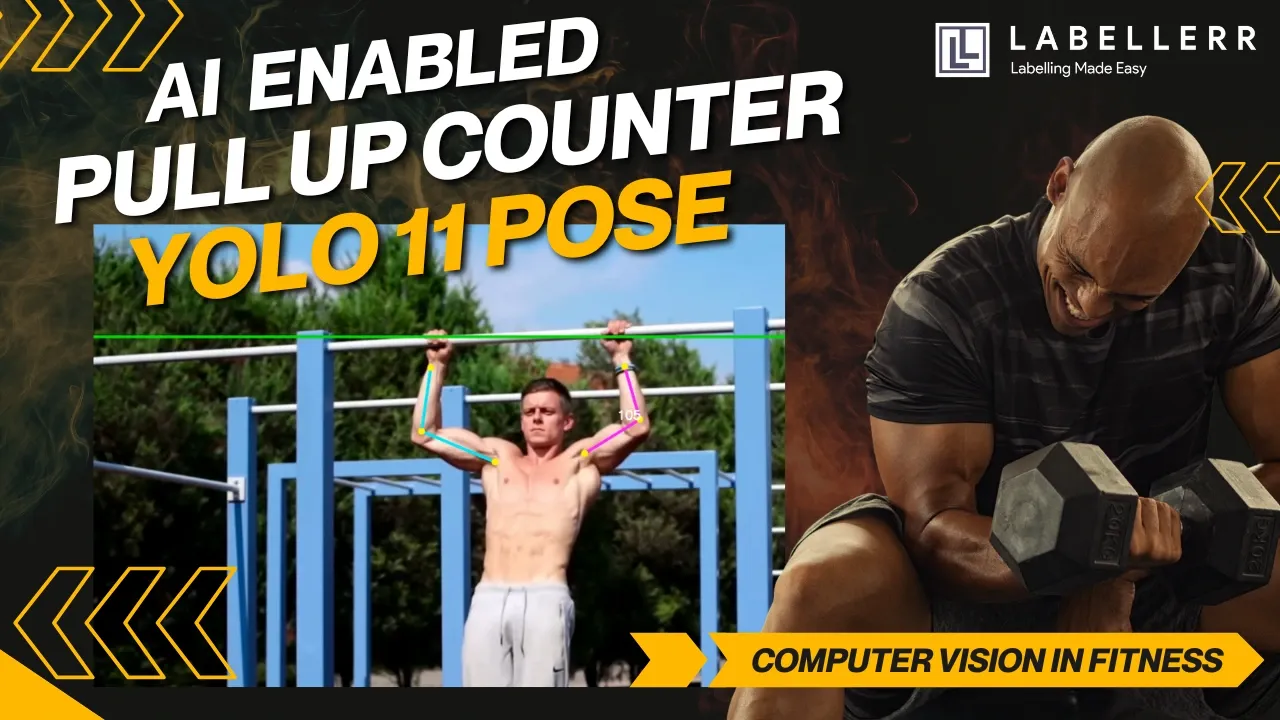
Enough thinking. We have all been there in the middle of a tough set of pull-ups. Your muscles are burning, and you are struggling to get your chin over the bar. Suddenly, you lose count. Was that rep number eight or nine? Even worse, as fatigue sets in, your form begins to slip.
You start doing "half-reps" where you do not fully extend your arms, effectively cheating yourself out of the full benefit of the exercise. Manual tracking is flawed because it relies on your memory and your honesty. Mirrors help, but they cannot count for you, and most mobile apps rely on basic motion sensors which are easily tricked by partial movements. We decided we needed a better solution, so we built an objective, digital spotter.
In this guide, we explore how to build a robust AI-Powered Pull-Up Counter. This system does not just count movement; it enforces strict form. We utilize Computer Vision and Pose Estimation to track skeletal joints in real-time. By the end of this project, we established a system that only counts a repetition when the user performs a full range of motion. We achieved this by combining Python, the YOLO11 architecture, and data annotation tools from Labellerr.
The Problem: Why Simple Motion Detection Fails
Traditional computer vision projects often use Object Detection, which draws a box around a person. While this is useful for counting people in a room, it fails completely for fitness tracking. Knowing where a person is located in the frame does not tell us what they are actually doing. To count a pull-up correctly, we need to know the specific position of the elbows, shoulders, and wrists. We need to know if the arm is straight, indicating a valid starting position, or bent, indicating the upward phase of the movement. A simple bounding box cannot provide this level of granular data.
This is why we turned to Pose Estimation. This technology maps the key joints of the human body, giving us precise coordinates for every limb. With this data, we can use geometry to calculate angles and verify form with mathematical precision.
Lets see the how a raw footage of a person doing pull, can be turned into AI powered counter
Here after AI-powered counter is enabled.
The Solution: An End-to-End AI Workflow
Our solution follows a clear, four-step pipeline that moves from raw data to a real-time application. We started with data preparation, utilizing Labellerr to annotate video frames with specific keypoints like the nose, elbows, and shoulders. Once the data was ready, we trained the YOLO11-Pose model to recognize these body parts with high precision. With a trained model, we developed a custom "Angle Logic" using vector geometry to calculate the extension of the elbow in real-time. Finally, we wrapped everything in an OpenCV application that draws the skeleton on the screen and updates the repetition count live.
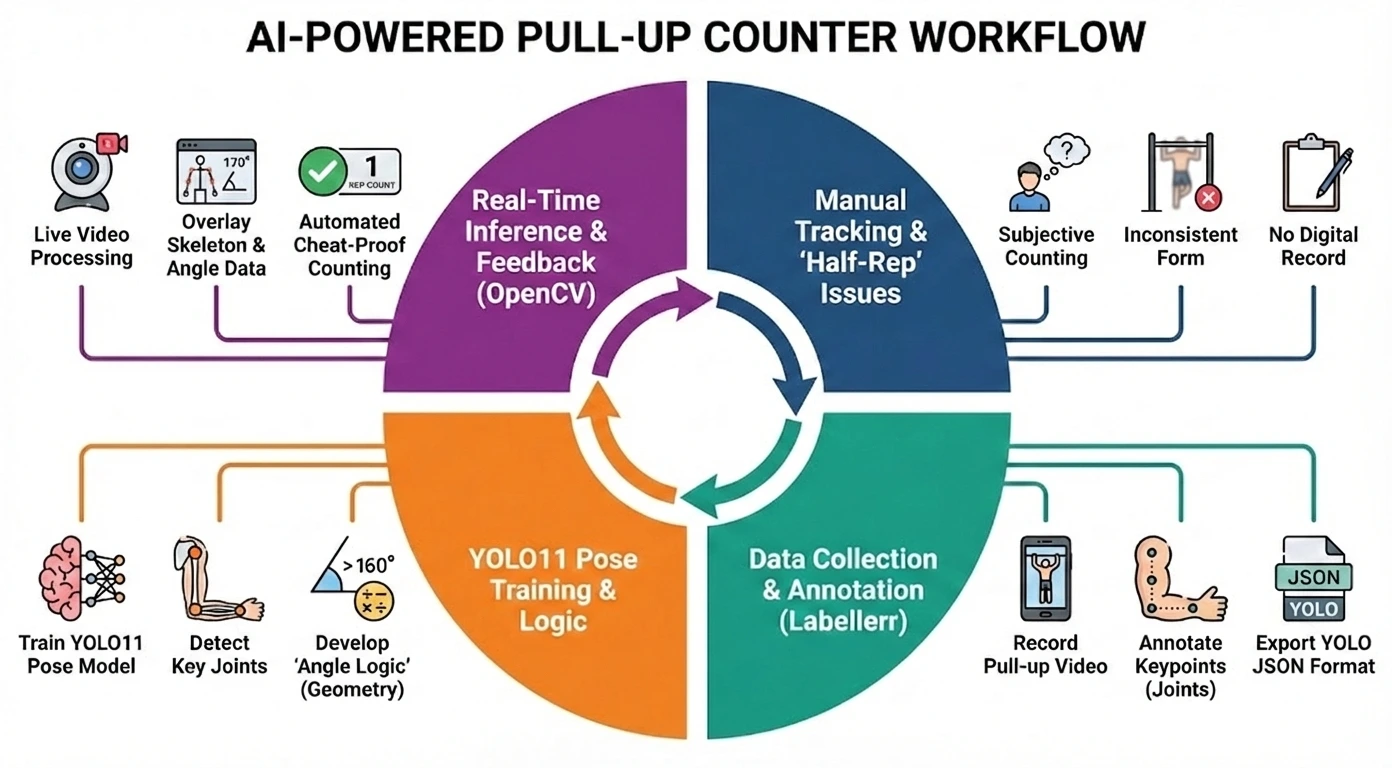
The complete AI Pull-Up Counter workflow
Step 1: Data Collection and Annotation
The foundation of any effective AI model is high-quality data. For this project, general person detection was not sufficient. We needed the model to understand the specific body mechanics of a pull-up, so we started by recording video footage of pull-ups from different angles. The next challenge was labeling the key joints in these videos so the model could learn from them.
Annotating pose estimation data is often a tedious process that involves clicking exactly on the center of a joint for hundreds of images. To speed this up, we used Labellerr’s automated platform. We uploaded our raw video clips and defined a specific Keypoint Schema consisting of seven distinct points: the nose, left shoulder, right shoulder, left elbow, right elbow, left wrist, and right wrist. The intuitive interface allowed us to quickly place dots on these joints across the dataset. We then exported the data in a JSON format, which contained all the coordinate information we needed. A simple script then converted these labels into the standard format required for YOLO training.
Step 2: Training the YOLO11 Pose Model
With our dataset ready, we moved to the training phase. We chose Ultralytics YOLO11 because it is currently the state-of-the-art model for real-time vision tasks, offering better speed and accuracy than its predecessors. We set up a configuration file to tell the model where our images were located and defined the seven keypoints we intended to track.
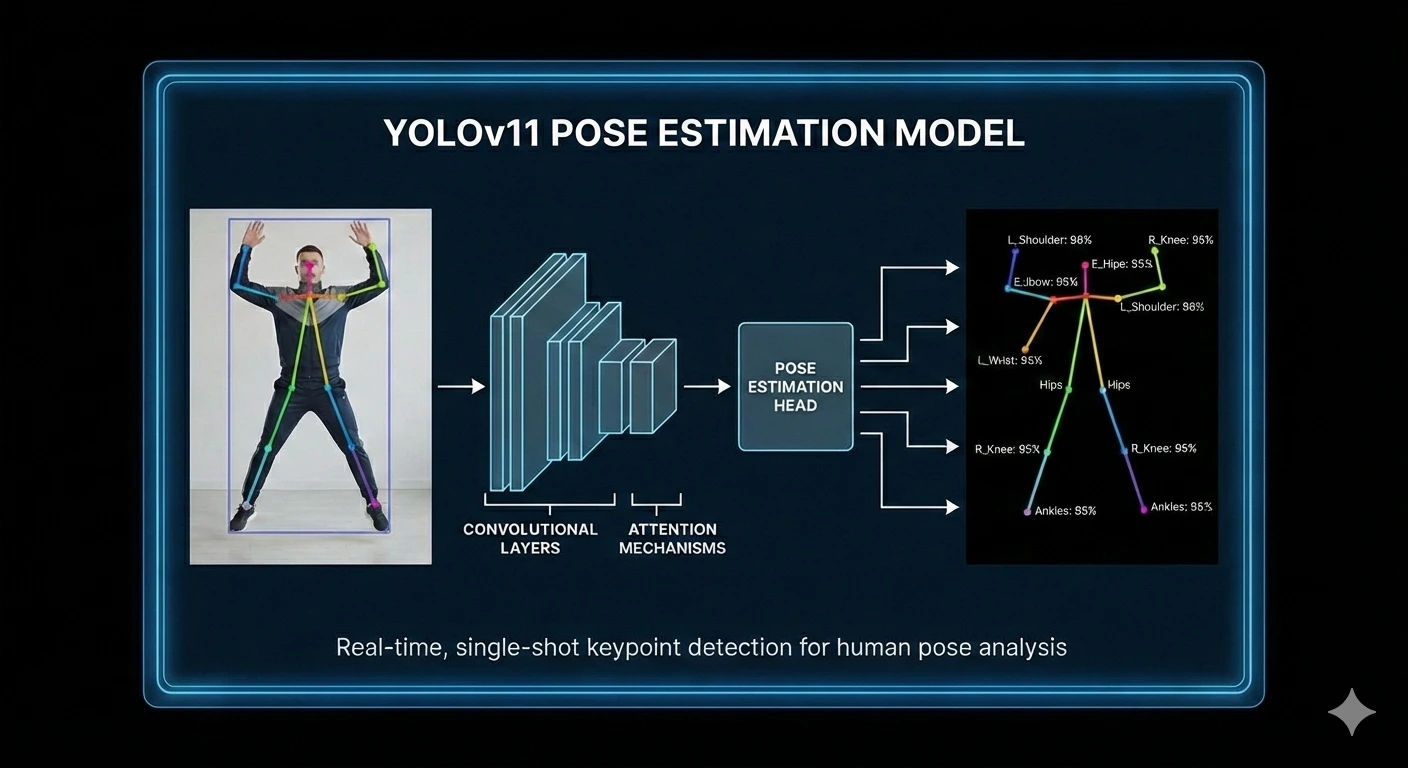
YOLOv11 pipeline for real-time human pose estimation.
We utilized transfer learning for this process, starting with pre-trained weights. This approach allows the model to leverage previous learning, which saves significant computational time and improves accuracy even with a smaller custom dataset. After training for approximately fifty epochs, the model learned to track the specific joints involved in a pull-up with high confidence, even when the user was moving quickly.
Step 3: Developing the Angle Logic
This phase was the brain of the project. Detecting the arm is relatively easy, but knowing if it is fully extended is the real challenge. We needed to calculate the angle at the elbow. To do this, the system treats the arm as two lines: one line connecting the shoulder to the elbow, and another line connecting the elbow to the wrist. We used standard vector geometry functions to find the precise angle between these three points.
To ensure no "half-reps" are counted, we defined a strict algorithm acting as a gatekeeper. We established two distinct stages. The first is the "Down Stage," where the angle of the elbow must be greater than 160 degrees. This confirms that the arm is straight, and the system waits for this valid extension before proceeding. The second is the "Up Stage." Once the system registers a valid Down Stage, it tracks the user's nose. Only when the nose crosses above the height of the pull-up bar does the system register a complete repetition. This logic creates a cheat-proof loop; if you only go halfway down, the stage never resets, and the next pull-up will not count.
Step 4: Real-Time Inference and User Interface
The final step was to bring all these components together into a usable application. We used OpenCV to access the webcam and process the video feed in real-time. The workflow operates in a continuous loop where the camera reads a frame, passes it to the YOLO model, extracts the keypoints, runs the angle logic, and finally draws the skeleton and repetition count on the screen.
We also added a setup step for better usability. At the start of the program, the user clicks on the video feed to define exactly where the pull-up bar is located. This creates a virtual finish line for the chin to cross. This visual interface provides instant feedback, drawing the skeleton in different colors depending on the state of the repetition, giving the user immediate confirmation of their form.
Challenges and Solutions
Building this system was not without its hurdles. One major issue we faced was self-occlusion. When a user pulls themselves up, their head sometimes blocks the camera's view of the shoulder. We solved this by using the YOLO11 architecture, which is robust enough to often guess the shoulder position based on context. We also added a confidence check to ensure we only calculate angles if the model is reasonably sure it sees the joints.
Another challenge was camera positioning. If the camera is placed too low, the calculated angles can look distorted. We found that placing the camera at chest height provided the best results. We also implemented logic to calculate the average angle of both arms; if one arm is hidden from view, the other usually provides enough data to maintain an accurate count. Additionally, we dealt with jittery keypoints where the detected points would shake slightly. We solved this by implementing a clear threshold logic where the angle must pass the 160-degree mark significantly, providing a margin of safety that eliminated the need for complex smoothing filters.
Real-World Applications
While this project serves as a proof of concept, the technology has vast potential in the real world. Smart home gyms could utilize this technology in mirrors that act as personal trainers, counting reps and correcting form in real-time. Remote fitness competitions, which often rely on video submissions, could use this AI to automatically verify scores and prevent cheating.
In the medical field, physical therapists could use similar systems to track a patient's range of motion. Doctors need objective data on how far a patient can extend an injured limb, and this system can log that progress objectively over time. Even in industrial settings, similar pose estimation logic can be used to monitor ergonomics, ensuring workers are lifting heavy objects with safe posture to prevent workplace injuries.
Conclusion
We successfully built a system that replaces human error with machine precision. By combining efficient data annotation from Labellerr with the powerful pose estimation capabilities of YOLO11, we created a tool that truly understands human movement. This project demonstrates that artificial intelligence is not just for large technology companies. With the right tools, developers can translate physical rules into code to solve everyday problems. Whether you are a developer looking to master pose estimation or a fitness enthusiast wanting a smart home gym setup, this project sets a new standard for automated fitness analytics.
Frequently Asked Questions
How accurate is the AI Pull-Up Counter compared to manual tracking?
It is significantly more objective than manual tracking. While humans might miscount due to fatigue or bias, the AI uses strict geometric "Angle Logic" to verify every single rep. It only registers a count when your elbows fully extend past 160 degrees and your chin clears the bar, ensuring 100% consistency.
Do I need a powerful GPU to run the YOLO11 pose estimation model?
Not necessarily. While a GPU speeds up the training process, the yolo11n-pose (nano) model is highly optimized and can run real-time inference on a standard modern CPU. This makes the project accessible for home gym setups without needing expensive hardware.
Can this computer vision logic be adapted for other exercises like push-ups?
Yes. The core technology—Pose Estimation—tracks the same skeletal keypoints (shoulders, elbows, wrists). To adapt it for push-ups or squats, you would simply adjust the camera position and modify the "Angle Logic" script to track the relevant joint extensions for those specific movements.

Simplify Your Data Annotation Workflow With Proven Strategies
.png)