
AI Mask Detection System
Discover how the Smart Face Mask Tracker uses YOLOv11 and persistent sticky logic to solve AI flickering. Learn how this real-time computer vision system ensures accurate, automated safety compliance for hospitals, factories, and public spaces.
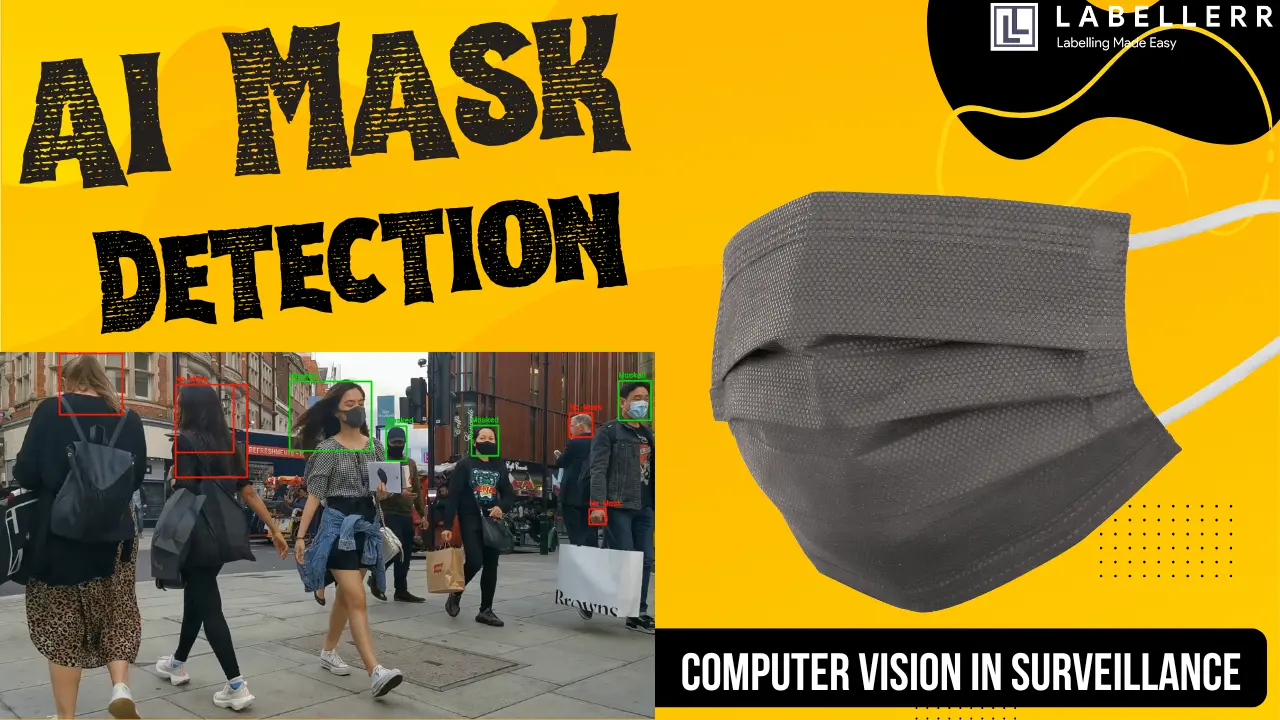
Safety in public spaces is more important today than ever. In busy places like hospitals, airports, and factories, checking if everyone is wearing a mask is a huge task. Doing this manually is slow and often leads to mistakes.
That is why we built the Smart Mask Tracker. This project uses the latest AI technology to watch video feeds and identify who is wearing a mask and who is not. Unlike basic systems, this one "remembers" people so it stays accurate even when they move.
In this blog, we will look at how this system works, why it is better than standard tools, and how it can be used in the real world.
The Problem with Standard Mask Detection
Most basic AI systems look at each frame of a video as a separate picture. They do not connect what they saw in Frame 1 to what they see in Frame 2. This causes a major problem called "flickering."
Imagine a person walking toward a camera. They are wearing a mask, and the AI sees it. But then, the person turns their head to talk to someone. For a split second, the camera cannot see the mask clearly. A basic AI will suddenly say "No Mask" and turn the warning box red. When the person turns back, it switches to green again.
This flickering makes the data unreliable. If you are trying to count how many people followed safety rules, these constant changes will give you the wrong numbers.
How the Smart Mask Tracker Fixes This
To solve the flickering problem, I used two main features: Object Tracking and Persistent Memory.
1. Object Tracking
Instead of seeing a person as just a box in a single frame, my system uses YOLOv11 to assign a unique ID to every individual. If the AI identifies you as "Person #5," it follows you as you walk across the room. It knows you are the same person, even if you move fast or walk behind a pillar.
2. Persistent Memory
This is the most important part of the project. I designed the code to "remember" the safety status of each ID.
Once the AI detects a mask on "Person #5" even once, it marks them as "Safe" in its memory. For the rest of the video clip, that person’s bounding box stays green. Even if they turn their head or the mask is hidden for a moment, the AI remembers that they are compliant. This creates a smooth, professional result without any flickering.
3. The Buffer Zone
Real-world movement is messy. Sometimes a person is looking down or walking at an angle. To make sure the AI doesn't miss the mask, I added a "Buffer Zone" around the head. This expands the area the AI checks, ensuring that even if the mask is slightly off-center, it still gets detected correctly.

Project Workflow
Real-World Applications
This technology is not just a coding experiment. It has real value for businesses and public safety.
Hospitals and Healthcare
In sterile environments, masks are mandatory. This system can monitor hospital hallways and entrances 24/7. It can alert staff if someone enters a restricted zone without protection, ensuring that doctors and patients stay safe from germs.
Construction and Industrial Sites
Factories and construction zones are full of dust and chemicals. Workers must wear protective gear to stay healthy. This AI acts as an automated safety officer, checking every worker as they enter the site and keeping a digital log of safety compliance.
Airports and Train Stations
Large transport hubs have thousands of people moving every hour. It is impossible for security guards to check every single face. This system can scan crowds in real-time and provide data on which areas have the highest compliance, helping managers deploy staff where they are needed most.
Smart Office Management
Modern offices can use this tool at the front door. The system can be connected to an electronic lock. The door only unlocks when the AI confirms the person is wearing a mask, making safety protocols automatic and easy to follow.
Key Features of the System
- High Accuracy: Built on the YOLOv11x model, which is the most advanced version of the YOLO family.
- Reliable Data: Because the AI remembers people, the final safety count is much more accurate than basic models.
- Real-Time Processing: The system is optimized to work on live video feeds with very little delay.
- Clean Visuals: By removing unnecessary overlays and focusing on simple green and red boxes, the output is easy for anyone to understand.
Conclusion
The Smart Mask Tracker is a big step forward for automated safety. By combining high-speed detection with smart memory, we can create tools that actually work in the real world. This project proves that AI can do more than just "see" it can understand and remember, making our public spaces safer for everyone.
Whether it is a hospital, a factory, or a busy mall, this technology provides a reliable way to monitor health protocols without the need for constant human supervision.
Frequently Asked Questions
What makes this AI mask tracker different from standard detection systems?
Standard systems analyze video frame-by-frame, causing "flickering" false alarms when people turn their heads or masks are temporarily hidden. This system uses "Sticky Logic" and YOLOv11 object tracking to assign unique IDs, permanently remembering a person's compliant status once a mask is detected.
How does the "Buffer Zone" feature improve face mask detection?
The Buffer Zone expands the digital detection area around a person's head. This ensures the AI accurately detects masks even when people are moving quickly, looking down, or if the mask sits slightly off-center, making it highly effective in real-world scenarios.
What are the real-world applications of this smart mask tracker?
It is designed to automate safety and health compliance in high-traffic and high-risk environments. Key applications include monitoring sterile zones in hospitals, enforcing safety gear rules in construction sites and food processing plants, and tracking crowd compliance in busy airports.

Simplify Your Data Annotation Workflow With Proven Strategies
.png)